Recommended Searches:
Partiful
AFK Journey
Max
Clash of Clans
Mila
UpStudy
MacroFactor
Timeleft
Baby Daybook
Infinite Painter
Peacock TV
Squad Busters
Eggy Party
Honkai
Kingdom Rush 5
Cookie Run
Latest Version
Version
2.20.2.13
2.20.2.13
Update
May 08, 2026
May 08, 2026
Developer
Nero AG
Nero AG
Categories
Tools
Tools
Platforms
Android
Android
Downloads
0
0
License
Free
Free
Package Name
com.nero.swiftlink.mirror.tv
com.nero.swiftlink.mirror.tv
Report
Report a Problem
Report a Problem
More About Cast Screen on TV--1001 TVslication
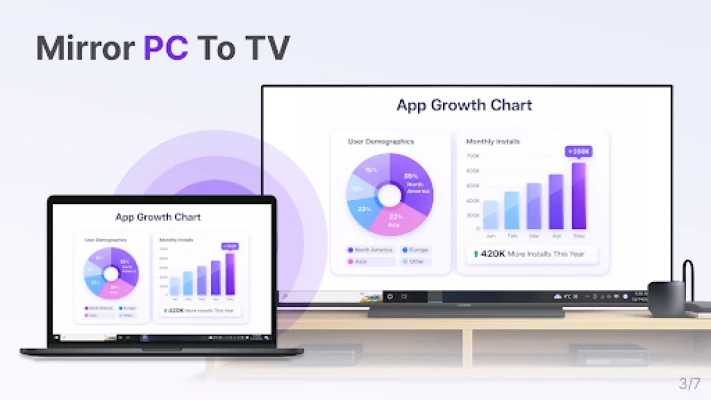
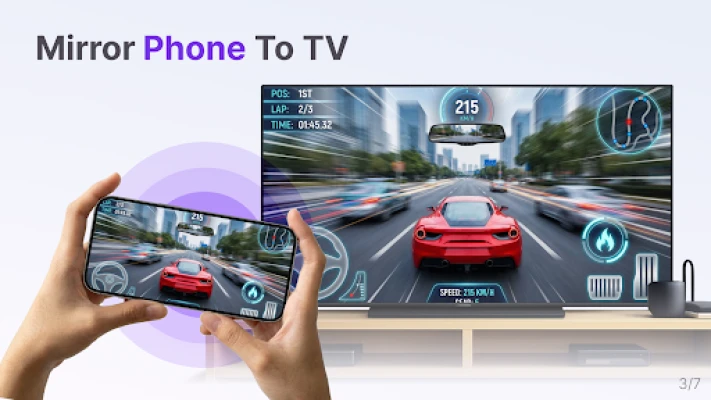
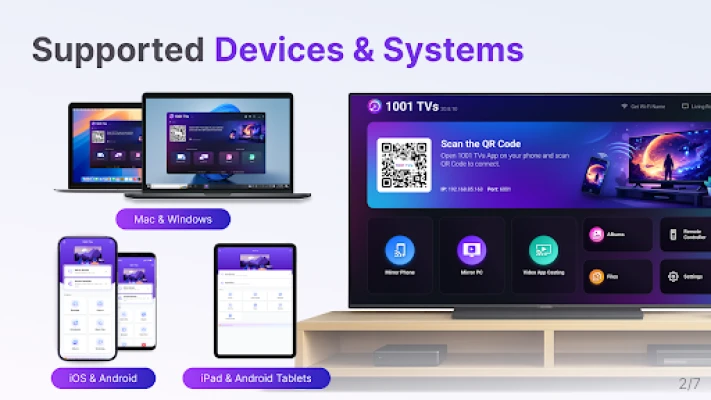
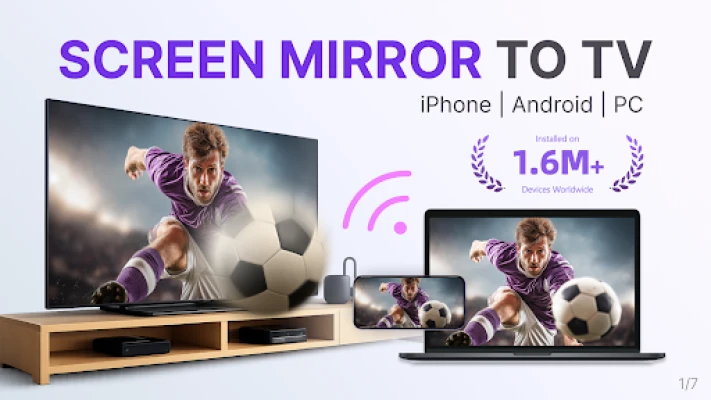
1001 TVs is a screen mirroring app that mirrors Android phones, iPhones, tablets, Windows PC, and Mac to your Android TV. It's a powerful wireless display tool for Chromecast and other Android TV devices.
1.7M+ Install base worldwide.
⭐ Why You'll Love It?
1. Smooth & Clear Display – Original Image Quality
High frame rate, high definition, flicker-free, and easy on the eyes. Subtitles stay crystal clear with flexible configuration options. Perfect for watching videos with captions and comments.
2. Perfect for TikTok, YouTube and Vertical Videos
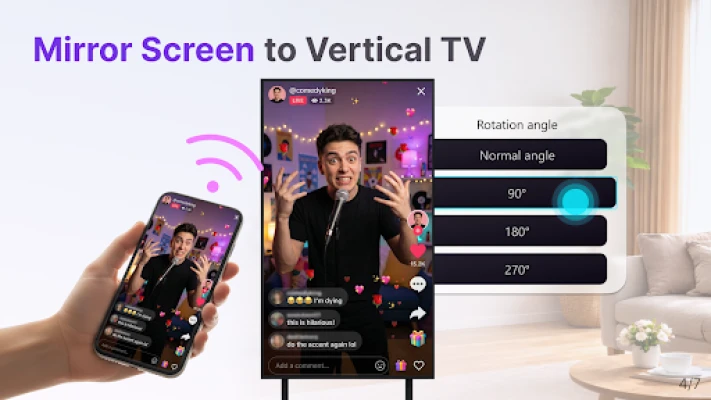
Auto rotation automatically follows your phone's rotation, perfectly maintaining the original aspect ratio. Enjoy TikTok on a big screen, just like using a large smartphone. Vertical screen mode lets you manually set any angle on your PC, Mac or TV.
3. Ultra-Low Latency Performance
Real-time low-latency mirroring with optimal balance between image quality and smoothness. Synchronized audio and video—no lag. Perfect for gaming and streaming.
4. Multi-TV Mirroring
Support mirroring from one PC/Mac to multiple TVs at the same time. Ideal for presentations and events.
5. Flip Screen
Flip your screen left-to-right for a true mirror reflection. Ideal for video calls, fitness, and dance practice.
6. Smart Display Modes
Three modes (Fit/Fill/Scale) smartly adapt to your screen, eliminating black bars when you cast to TV.
7. Silent Pairing Mode
Tired of constant pairing requests? Choose never or only once — no more confirming every time.
8. 100% Private & Secure
All screen mirroring data stays within your local network, never uploaded to the internet, ensuring 100% privacy protection.
9. Easy to Use
No complicated setup — just one tap to connect. Press OK to pause or resume anytime with your TV remote.
⭐ Additional Features
1. PC/Mac Screen Extension – Mirror only the secondary screen to TV for better privacy protection of your main display.
2. PC/Mac Window Mirroring – Mirror a specific window for focused sharing. Latest Android phones also support single-app mirroring.
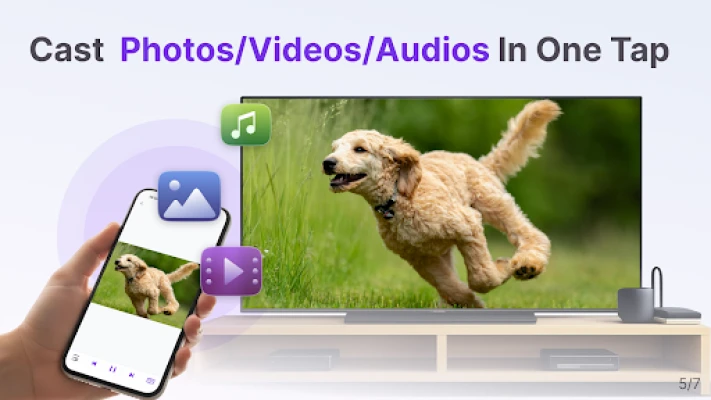
3. File Transfer & Management – Quickly and safely send files (photos, videos, music, documents and so on) from your phone, PC, Mac to TV, view files on your TV.
4. Video Casting – Stream content from video apps on your phone to TV.
5. TV Albums – Upload photos, videos, and music to your TV for anytime viewing.
6. iPhone Camera Live Mirroring (with Flip Option) – Real-time camera mirroring for easier big-screen selfies and video calls.
7. iPhone Whiteboard – Writing or Drawing on your iPhone and mirror to PC, Mac, or TV in real time for seamless presentations and collaboration.
8. TV Remote Controller – Use your phone to auto-detect smart TVs on the same Wi-Fi. Control volume, home, direction pad, and select/confirm and so on.
* How to Use?
1. Install 1001 TVs screen mirroring app on the sender (PC/Mac/phone) and this TV.
2. Ensure both devices are connected to the same Wi-Fi network.
3. Open the app, select the device or scan the QR code to start.
* The following features are available for free trial, paid membership required on sender side after trial.
1. Screen mirroring from Phone/PC/Mac to TV.
2. File transferring from Phone/PC/Mac to TV.
Email: 1001tvs@nero.com
Website: https://www.1001tvs.com
Terms: https://1001tvs.com/license/en/terms.html
Privacy: https://1001tvs.com/license/en/privacy.html
⭐ Why You'll Love It?
1. Smooth & Clear Display – Original Image Quality
High frame rate, high definition, flicker-free, and easy on the eyes. Subtitles stay crystal clear with flexible configuration options. Perfect for watching videos with captions and comments.
2. Perfect for TikTok, YouTube and Vertical Videos
Auto rotation automatically follows your phone's rotation, perfectly maintaining the original aspect ratio. Enjoy TikTok on a big screen, just like using a large smartphone. Vertical screen mode lets you manually set any angle on your PC, Mac or TV.
3. Ultra-Low Latency Performance
Real-time low-latency mirroring with optimal balance between image quality and smoothness. Synchronized audio and video—no lag. Perfect for gaming and streaming.
4. Multi-TV Mirroring
Support mirroring from one PC/Mac to multiple TVs at the same time. Ideal for presentations and events.
5. Flip Screen
Flip your screen left-to-right for a true mirror reflection. Ideal for video calls, fitness, and dance practice.
6. Smart Display Modes
Three modes (Fit/Fill/Scale) smartly adapt to your screen, eliminating black bars when you cast to TV.
7. Silent Pairing Mode
Tired of constant pairing requests? Choose never or only once — no more confirming every time.
8. 100% Private & Secure
All screen mirroring data stays within your local network, never uploaded to the internet, ensuring 100% privacy protection.
9. Easy to Use
No complicated setup — just one tap to connect. Press OK to pause or resume anytime with your TV remote.
⭐ Additional Features
1. PC/Mac Screen Extension – Mirror only the secondary screen to TV for better privacy protection of your main display.
2. PC/Mac Window Mirroring – Mirror a specific window for focused sharing. Latest Android phones also support single-app mirroring.
3. File Transfer & Management – Quickly and safely send files (photos, videos, music, documents and so on) from your phone, PC, Mac to TV, view files on your TV.
4. Video Casting – Stream content from video apps on your phone to TV.
5. TV Albums – Upload photos, videos, and music to your TV for anytime viewing.
6. iPhone Camera Live Mirroring (with Flip Option) – Real-time camera mirroring for easier big-screen selfies and video calls.
7. iPhone Whiteboard – Writing or Drawing on your iPhone and mirror to PC, Mac, or TV in real time for seamless presentations and collaboration.
8. TV Remote Controller – Use your phone to auto-detect smart TVs on the same Wi-Fi. Control volume, home, direction pad, and select/confirm and so on.
* How to Use?
1. Install 1001 TVs screen mirroring app on the sender (PC/Mac/phone) and this TV.
2. Ensure both devices are connected to the same Wi-Fi network.
3. Open the app, select the device or scan the QR code to start.
* The following features are available for free trial, paid membership required on sender side after trial.
1. Screen mirroring from Phone/PC/Mac to TV.
2. File transferring from Phone/PC/Mac to TV.
Email: 1001tvs@nero.com
Website: https://www.1001tvs.com
Terms: https://1001tvs.com/license/en/terms.html
Privacy: https://1001tvs.com/license/en/privacy.html
Rate the App
Add Comment & Review
User Reviews
Based on
No reviews added yet.
Comments will not be approved to be posted if they are SPAM, abusive, off-topic, use profanity, contain a personal attack, or promote hate of any kind.







More »

Popular Apps

Telegram 5Telegram FZ-LLC

Water Connect FlowIEC Global Pty Ltd

Car Mechanic Job: SimulatorCar Simulator Crafting & Building FPS Arcade Games

MyBambuBetter Than Banking
School PlannerAndrea Dal Cin

My Singing MonstersBig Blue Bubble

Warlords of AternumInnoGames GmbH
Standoff 2Axlebolt

King of ThievesZeptoLab
InstagramInstagram
More »
Editor's Choice

Hopeless Land: Fight for SurvivalHK HERO ENTERTAINMENT CO.,LIMITED

Last Shelter: SurvivalLong Tech Network Limited

Toy Defense Fantasy — Tower Defense GameMelsoft Games
Warlords of AternumInnoGames GmbH

Vikings: War of ClansPlarium LLC
King of ThievesZeptoLab

MachinariumAmanita Design

Egg WarsBlockman Go Studio

Murder in the AlpsNordcurrent

Battlelands RoyaleFutureplay